Financial statements are the backbone of any business. They tell you where your money comes from, where it goes, and how profitable your company truly is. Yet for many small business owners, preparing these statements can feel overwhelming — especially if done manually or in Excel.
In this guide, you’ll learn how to prepare financial statements easily and accurately, even if you’re not an accountant.
Step 1: Gather and Organize Financial Data
Before you prepare statements, collect all your records — invoices, purchase receipts, payroll details, and bank transactions.
Pro Tip: With Alhisab, all these records are automatically captured through integrated sales, purchase, and inventory modules.
Step 2: Prepare the Income Statement (Profit & Loss)
The Income Statement shows your revenues and expenses for a specific period, revealing your net profit or loss.
-
Add up total sales and service income.
-
Subtract cost of goods sold (COGS) and operating expenses.
Result: You get your business’s profit or loss.
Alhisab automatically generates this from your POS and expense records — no manual calculation required.
Step 3: Prepare the Balance Sheet
The Balance Sheet shows your company’s financial position — what you own (Assets), what you owe (Liabilities), and your Equity.
Formula:
Assets = Liabilities + Equity
With Alhisab’s automated ledger management, all assets and liabilities update in real time as you record transactions.
Step 4: Prepare the Cash Flow Statement
This report tracks the cash coming in and going out from operations, investments, and financing.
It helps you understand liquidity — whether your business can pay bills on time.
Alhisab’s system automatically compiles cash flow data from invoices, purchases, and expenses, showing daily and monthly trends.
Step 5: Review and Analyze Reports
Once the three core statements are ready, review them for errors or unusual trends. Consistent reporting allows you to spot growth opportunities and financial risks early.
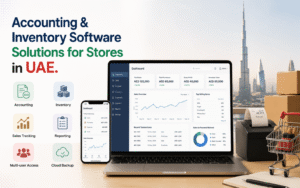
In Alhisab, you can view all reports in a visual dashboard with filters for branches, time periods, and departments.
If you still find it difficult, let Alhisab generate it for you.
With Alhisab, all your data — from sales to purchases to expenses — flows automatically into your financial reports.
In just a few clicks, you can generate accurate Profit & Loss, Balance Sheet, and Cash Flow statements — anytime, anywhere.
Let Alhisab handle your accounting while you focus on growing your business.