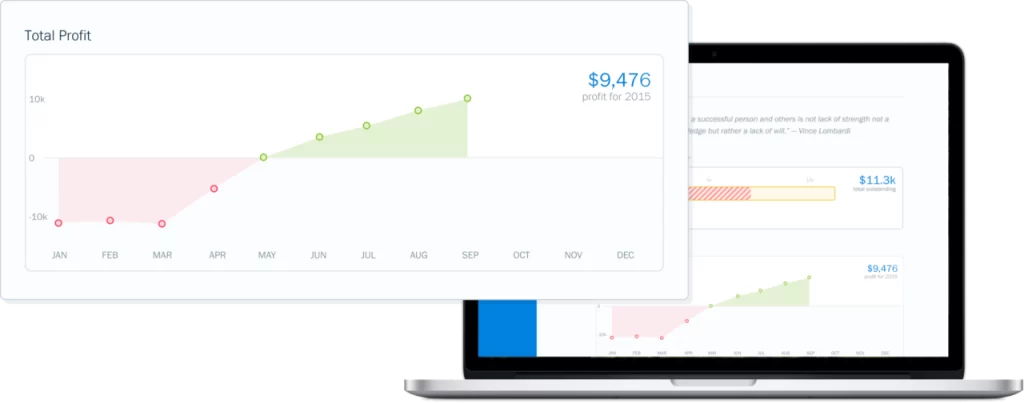
Alhisab makes it easy to know exactly how your business is performing. With our straightforward dashboard and reports, your success will never be a mystery. Plus, they’re detailed enough that your accountant will love you.
Whether you’re just starting out or an invoicing pro, Alhisab invoicing tools support your workflow, helping you build and send invoices in seconds.
How Do I Create an Invoice?
It’s easy to create an invoice with Alhisab. You can create a new invoice from your Dashboard by clicking “Create New” and then clicking “Invoice”. You can also create a new invoice from the “Invoices” section by clicking “New Invoice”.
What Is the Difference Between Billing and Invoicing?
It’s easy to create an invoice with Alhisab. You can create a new invoice from your Dashboard by clicking “Create New” and then clicking “Invoice”. You can also create a new invoice from the “Invoices” section by clicking “New Invoice”.
How Can I Accept Payments Online?
It’s easy to create an invoice with Alhisab. You can create a new invoice from your Dashboard by clicking “Create New” and then clicking “Invoice”. You can also create a new invoice from the “Invoices” section by clicking “New Invoice”.
What’s the Difference Between Payment Schedules & Partial Payments?
It’s easy to create an invoice with Alhisab. You can create a new invoice from your Dashboard by clicking “Create New” and then clicking “Invoice”. You can also create a new invoice from the “Invoices” section by clicking “New Invoice”.
How Do I Save or Share Invoices?
It’s easy to create an invoice with Alhisab. You can create a new invoice from your Dashboard by clicking “Create New” and then clicking “Invoice”. You can also create a new invoice from the “Invoices” section by clicking “New Invoice”.
How Can My Clients Automatically Pay Their Invoices?
It’s easy to create an invoice with Alhisab. You can create a new invoice from your Dashboard by clicking “Create New” and then clicking “Invoice”. You can also create a new invoice from the “Invoices” section by clicking “New Invoice”.